
AI video for creators. Not AI slop.
VIA turns a script into a finished long-form video, keeping your characters, locations, visual style and every scene connected from first idea to final cut.
Built for narrated long-form: history, documentary, education and storytelling channels.
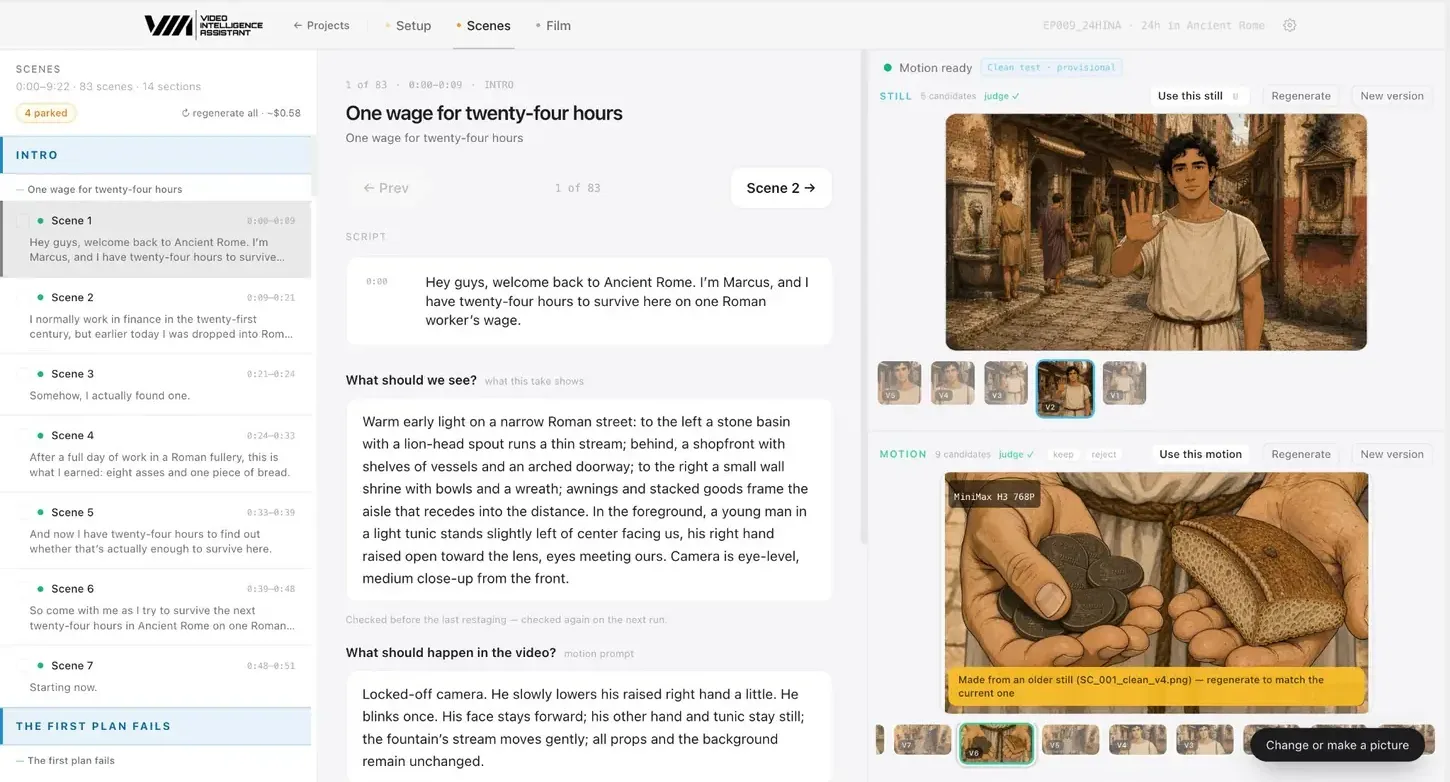
What is VIA?
VIA (Video Intelligence Assistant) is an AI video production system. You bring a script; VIA builds a production bible of characters, locations and style, turns every narration beat into a checked shot, animates it from the approved picture, and assembles a video you review as a film. The AI models are included and chosen per shot, so you make creative decisions instead of managing prompts.
Most AI tools make clips. VIA makes the video.
A ten-minute video is eighty-odd shots that have to look like they belong together. That is a production problem, not a prompt problem.
| AI clip generators | VIA | |
|---|---|---|
| Unit of work | One clip per prompt | A whole production, scene by scene |
| Characters | Drift between generations | Locked reference sheets used in every shot |
| Locations | Redrawn differently every time | Fixed features that must stay the same |
| Script fidelity | You check by eye | Every shot checked against the narration first |
| Models | You pick, prompt and pay each one | Chosen per shot and included in the plan |
| Review | Clips in a folder | The assembled film on a timeline |
Three stages, from script to publishable video.
Build the production bible once.
Paste the script and lock what must stay the same for the whole video: style, characters, wardrobe, locations, recurring objects and creative rules.
- Character sheets with front, side and back views
- Locations with fixed features, approved once
- One source of truth every scene is drawn from
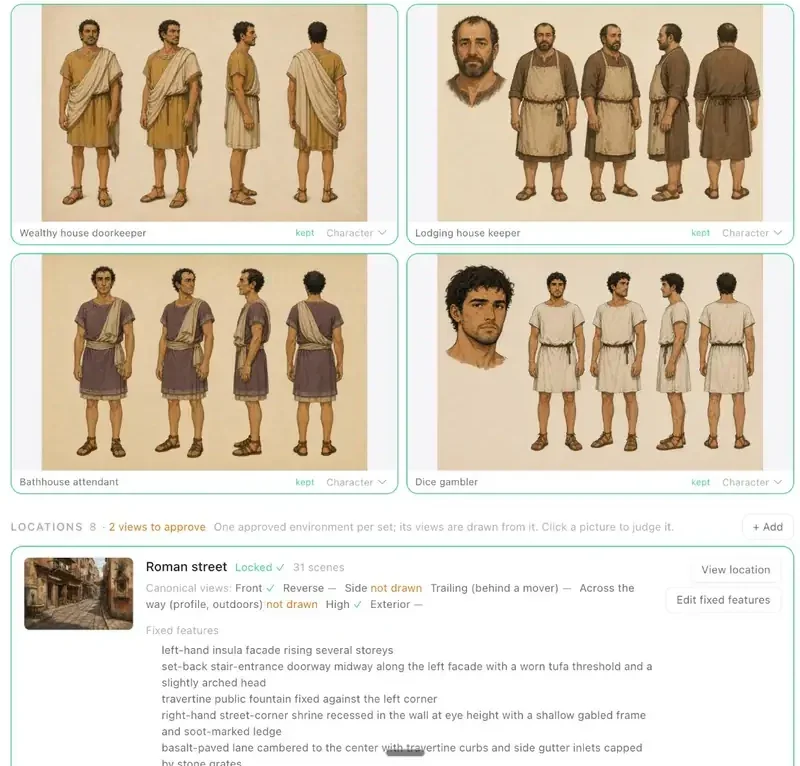 Locked location, fixed features
 Direct the video scene by scene.
Each narration beat becomes a written shot, still candidates and a motion clip made from the chosen still, all side by side with their versions.
- Script beat and visual direction together
- Stills judged for identity, place and props before you see them
- Keep, reject or redo any take in one click
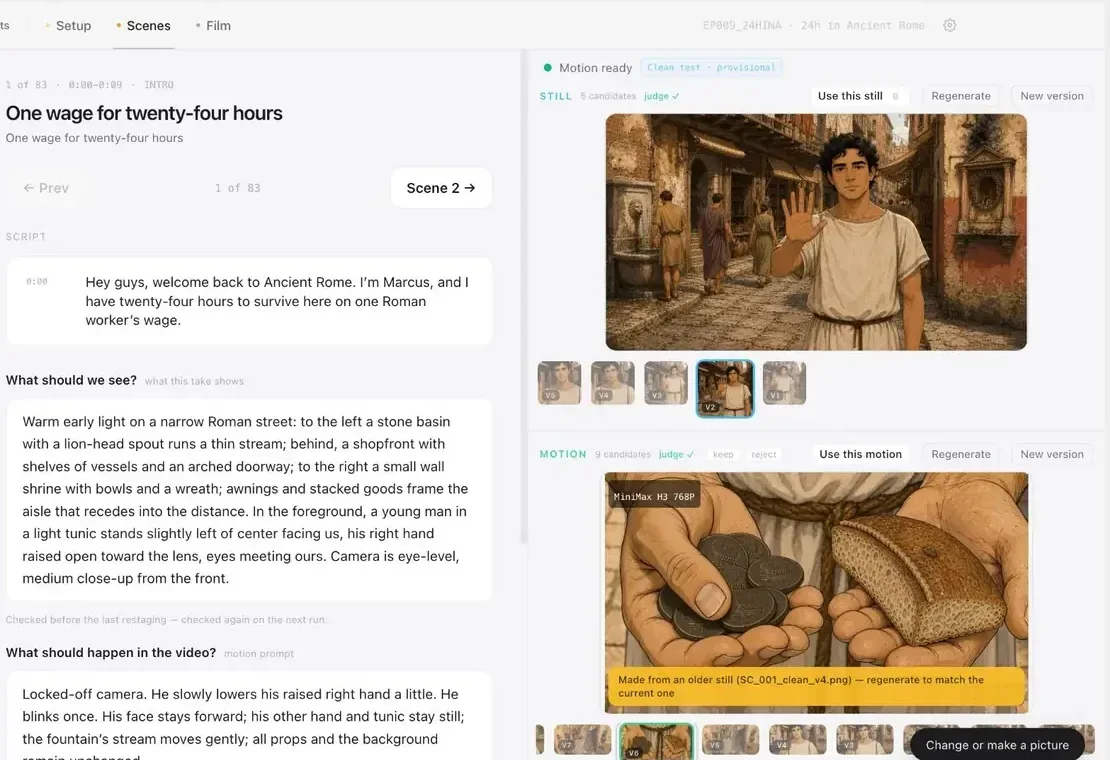 Stills judged before you see them
 Judge the film, not isolated clips.
Watch the assembled video with narration on a scene timeline. Pacing, continuity and the viewer's experience are what you judge, and any scene is one click from being fixed.
- Every scene on one timeline with the voice-over
- Only approved, current clips make the cut
- Export a finished video ready for YouTube
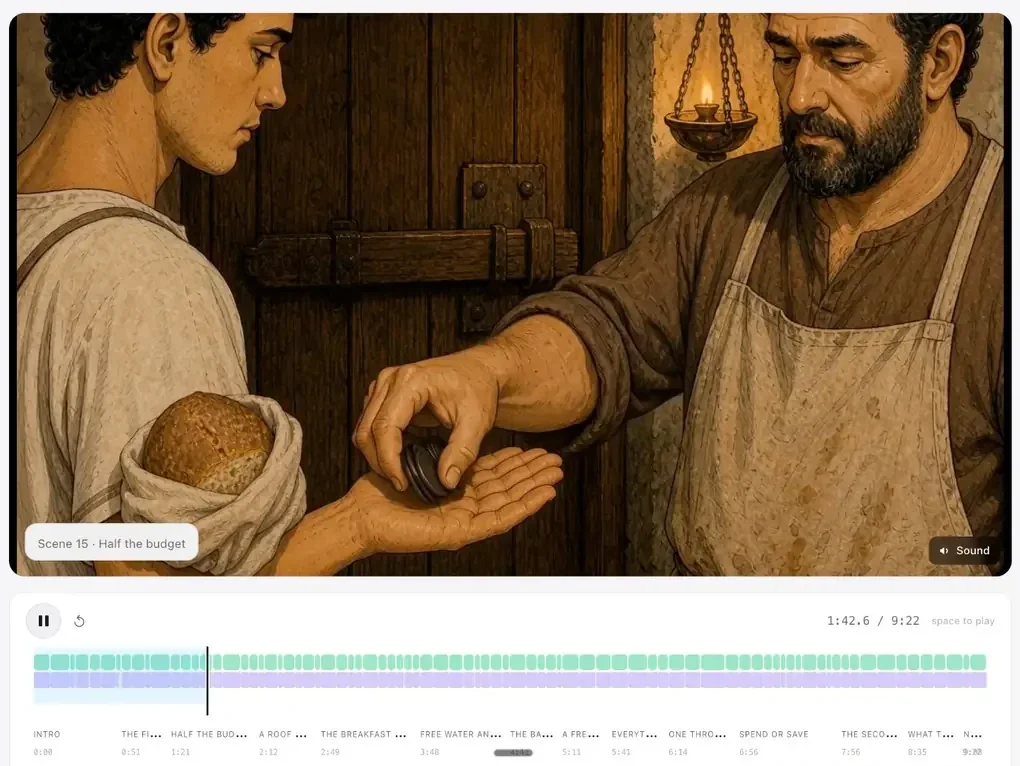 83 scenes on one timeline
 24 Hours in Ancient Rome
A full test production run through VIA: one Roman worker's wage, one day, one consistent world.
Channels where consistency makes or breaks the video.
AI video for history YouTube channels
Narrated history episodes with a consistent period world, recurring characters and fixed locations.
AI video for documentary YouTube channels
Illustrate narrated documentaries where no footage exists, with shots that match the script.
AI video for education and explainer channels
Turn explainer scripts into illustrated videos where every shot shows what the narration teaches.
AI video for storytelling YouTube channels
Narrated stories with a cast that looks the same in every scene and places viewers recognise.
Pay for finished minutes. The AI is included.
Plans include finished video minutes each month, with the AI generation paid for. Extra minutes are billed by actual use, typically $15–25 each, with a cap you set. No model menus, no API keys.
What is VIA?
VIA (Video Intelligence Assistant) is an AI video production system for YouTube creators. You bring a script; VIA builds a production bible of characters, locations and style, turns every narration beat into a checked shot, animates it, and assembles a finished long-form video you review as a film.
How is VIA different from AI video generators?
Generators make one clip at a time and forget everything between prompts. VIA manages the whole production: the same characters, wardrobe, locations and look carry through every scene, each shot is checked against the script before it is drawn, and you judge the result as an assembled video rather than a pile of clips.
What kinds of videos is VIA best for?
Narrated long-form video with recurring characters and places: history, documentary, education and explainers, and story-driven channels. It is not built for talking-head vlogs, live footage or real-person likenesses.
Do I need to know how to prompt AI models?
No. You write or paste the script and make creative decisions: approve a character, pick a still, reject a take. VIA writes the image and motion prompts from the script and your approved references.
Built by people who make videos.
We're An and Maja. We've built, run and sold YouTube channels, and we built VIA because no AI tool could keep a whole video consistent.


Make AI video people actually want to watch.
VIA is admitting a small number of creators into the private beta. Tell us what you want to make.